Product
Everything your workforce needs to document care and prove compliance
Nimbus unifies shift verification, field documentation, medication records, scheduling, training, billing, and admin oversight for disability-services organizations.
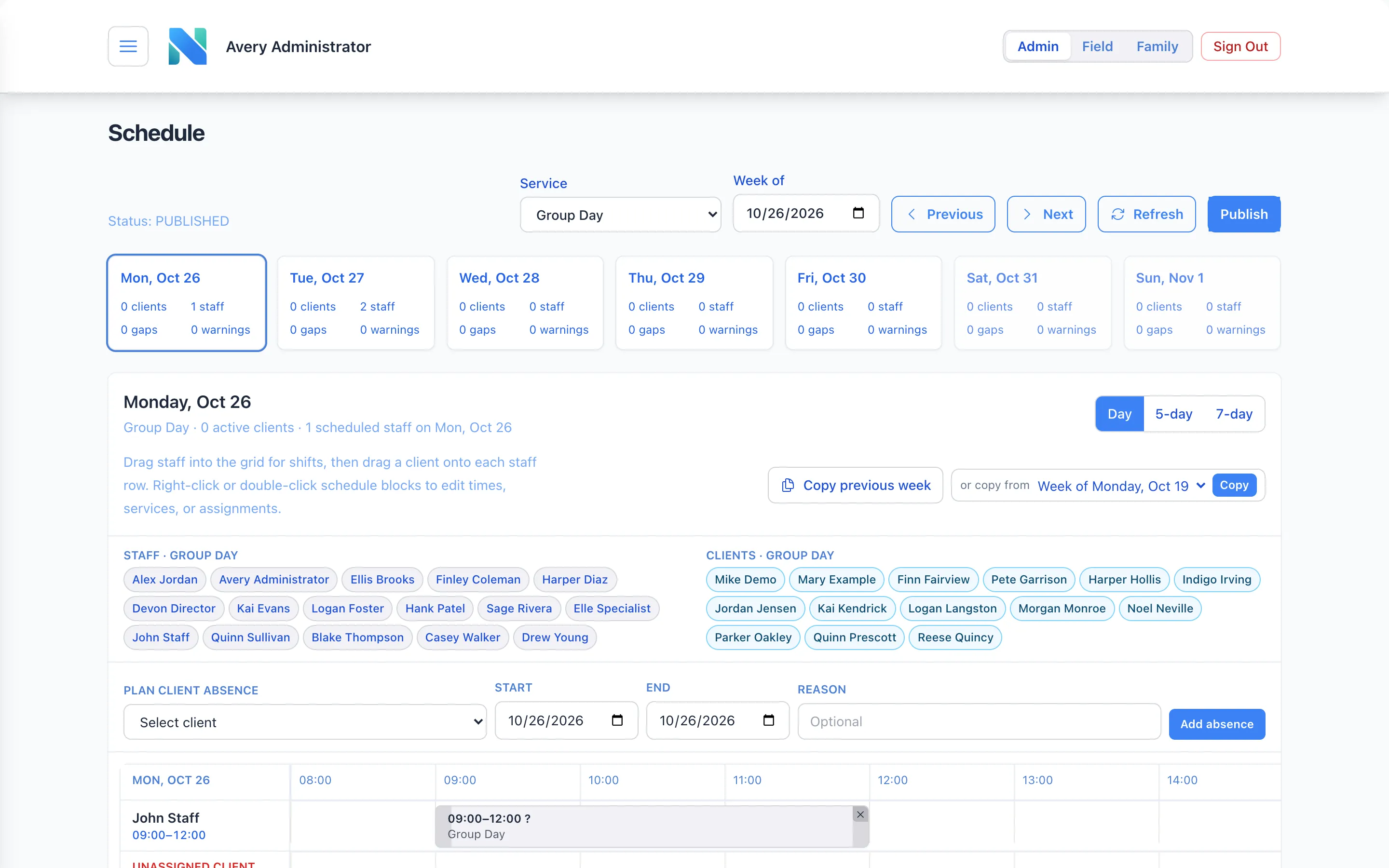
Scheduling
Weekly staff schedules, client blocks, assignment segments, and service authorizations in one operational view.
- Build the week by service: drag staff into shifts and clients onto staff
- Copy last week forward, then adjust for absences and changes
- See gaps and warnings per day before you publish
- Plan client absences so the schedule and EVV stay consistent
EVV & time tracking
Shift clock-in/out, client arrival and departure, transport method, GPS-aware visit verification, and corrections with a clear audit trail.
- Clock-in and clock-out captured at the moment, on the device in hand
- Client arrival, departure, and transport method recorded per visit
- GPS-aware verification against the service location
- Corrections require a reason and stay visible in the trail
Field DSP app
Native iOS workflows for sessions, documentation, end-of-shift completion, and the details staff need without leaving the field.
- Big, simple controls designed for staff who are on their feet
- Session, documentation, and end-of-shift completion in one flow
- Only what a DSP needs to see, separated from admin tools
Documentation & notes
Field notes tied to the visit they describe, written during the shift, and completed as part of the end-of-shift flow.
- Notes attached to the shift, client, and service they document
- End-of-shift completion so missing notes surface the same day
- Admin review for notes that need a second look
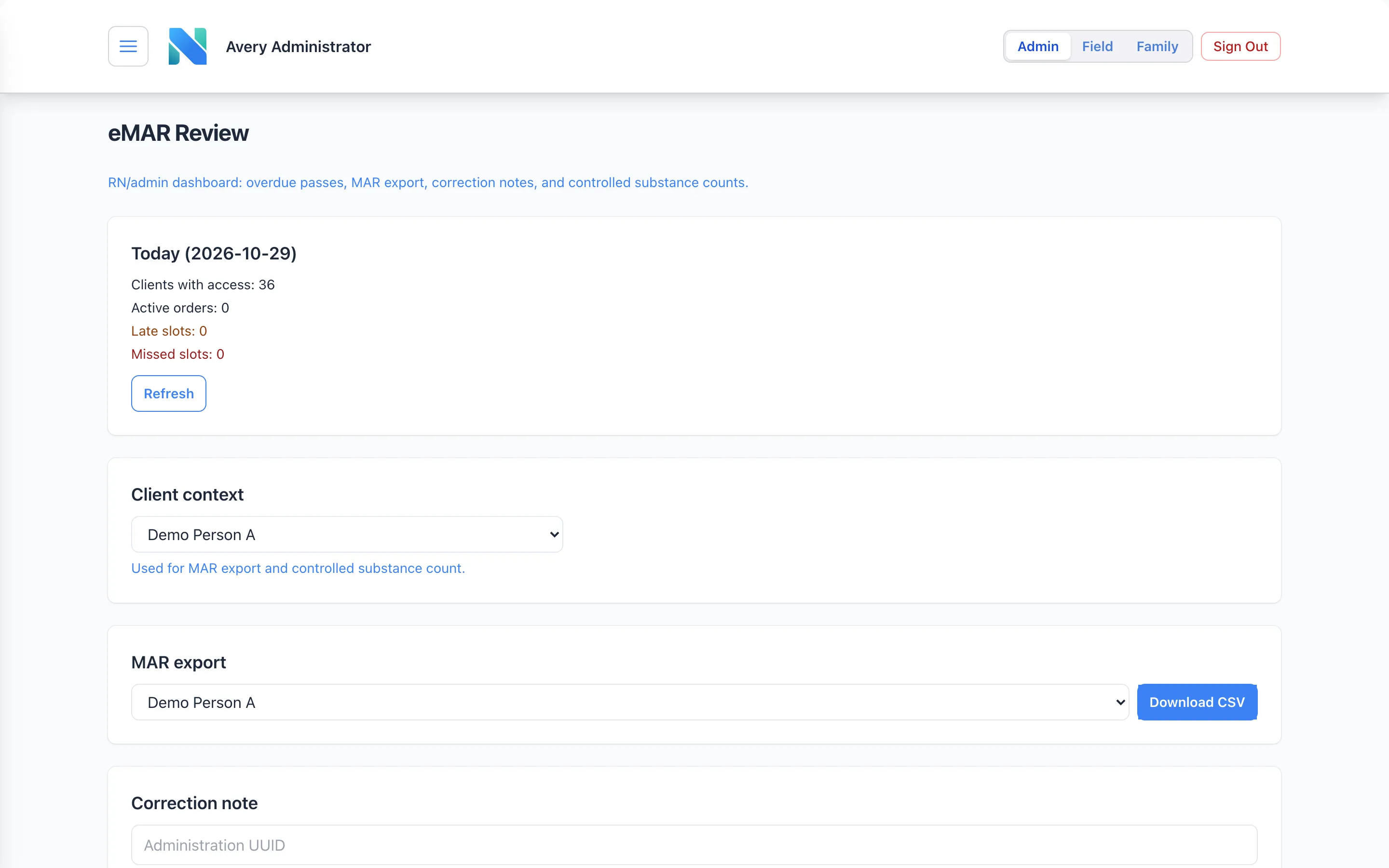
eMAR
Medication orders, med-pass documentation, safety checks, RN review, and MAR export built for regulated care settings.
- Med-pass documentation with late and missed slots highlighted
- RN and admin review dashboard with correction notes
- Controlled substance counts and MAR export per individual
Compliance & audit
Incident reporting, append-oriented records, and role-based admin oversight, so a review starts from evidence instead of a scramble.
- Append-oriented EVV and documentation trails: history is added to, not rewritten
- Incident reporting with admin oversight
- Role-based access that separates DSP field access from admin, clinical, and compliance roles
- Exports for auditors and state reviewers
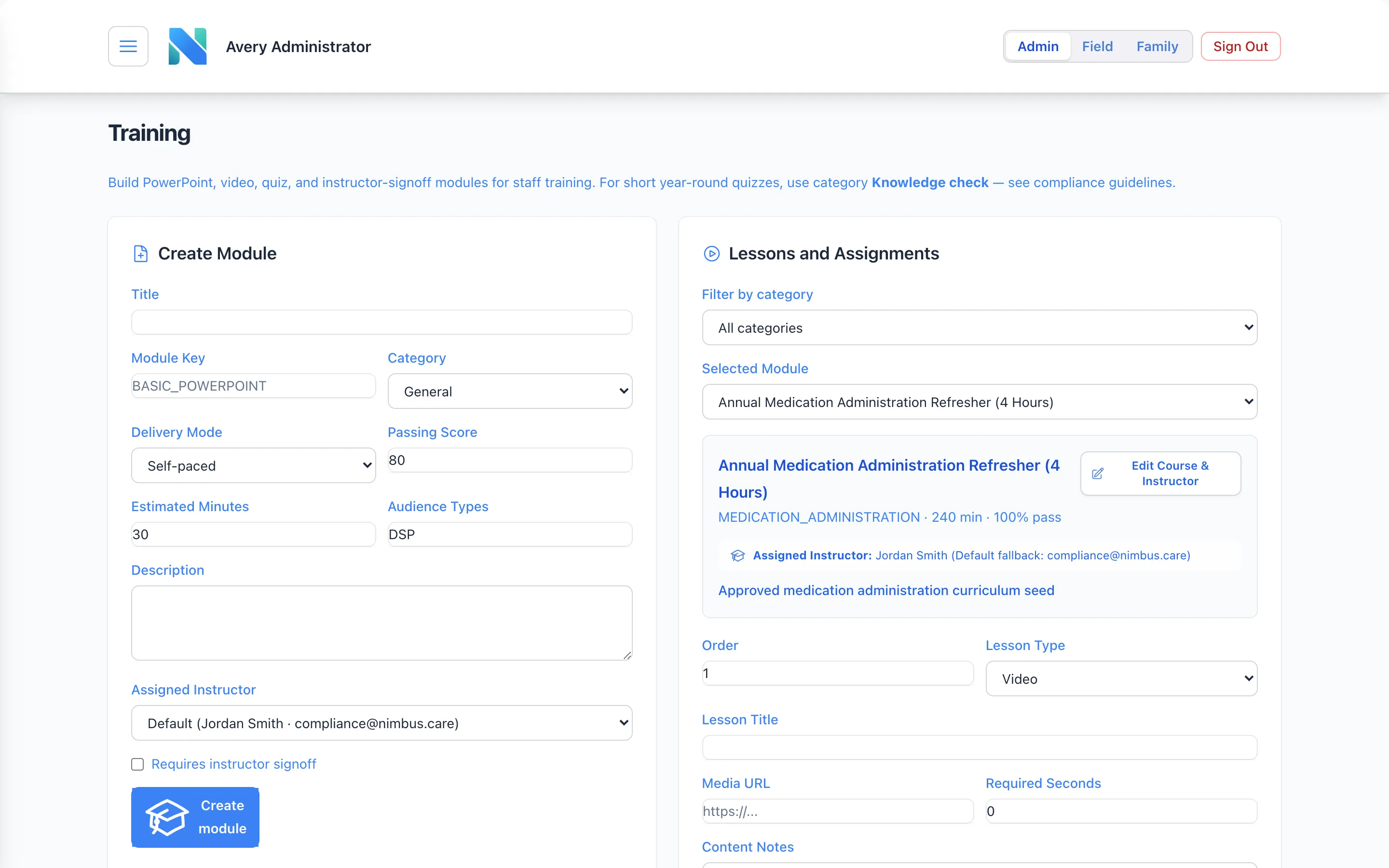
Training & LMS
Modules, quizzes, sign-offs, and curriculum tracking, including med-admin training pathways, so compliance does not live in spreadsheets.
- Video, slide, quiz, and instructor sign-off modules
- Assign by role and track completion across programs
- Medication administration training pathways
Billing via Stedi
Claim-oriented workflows built on verified visits, with claims submitted through our integration partner Stedi.
- Claims start from EVV-verified, documented services
- Claims submitted through Stedi, a modern healthcare clearinghouse
- Fewer re-keyed fields between the visit and the claim
Reporting & oversight
Visibility for operations and clinical leaders into shifts, visits, training status, and open issues across programs.
- Program-level views of shifts, visits, and open documentation
- Training status across staff and programs
- Exports when you need to share the numbers
How a shift becomes a record
See how the pieces connect
One path for shift verification, visit arrival, field notes, and admin review, so audits start from records, not reconstruction.
Illustrative workflow with fictional sample data.
Step 1: Clock in
The DSP opens the field app and clocks in to their scheduled shift. Time, device, and location are captured at the moment it happens, not typed in at the end of the week.
Step 2: Arrival & EVV check
Client arrival, transport method, and GPS-aware visit verification are recorded against the service authorization. Anything out of bounds is flagged for review right away.
Step 3: Field note
Notes are written where the work happens, tied to the visit they describe, and completed as part of the end-of-shift flow, so a missing note shows up today, not at audit time.
Step 4: Audit trail
Every event lands in an append-oriented trail. Corrections are added with a reason and an approver, never overwritten, so reviewers see exactly what happened and when.
Roles & access
Who uses Nimbus day to day
Direct support professionals
Work in the field app: clock in, verify visits, write notes, pass meds, complete training.
Admins and managers
Run scheduling, training, review, and reporting on the web, across every program and site.
Compliance and clinical
Role-based access with server-side role gates keeps DSP field access separate from admin, clinical, and compliance responsibilities.
Interface images are illustrative and use fictional sample data.
Want a walkthrough of the full stack?
Book a demo to walk through scheduling, EVV, field documentation, eMAR, training, and billing for your programs.